
info@truecadd.com
What is Level of Development (LOD) in BIM?
The Level of Development (LOD) functions as a BIM standard which establishes the precision and reliability of model components at different stages of project development. LOD establishes a standardized way to define model completeness through numerical values which enhances 3D models and enables stakeholders to share a common understanding.
A clear BIM LOD is important as it changes the documentation workflow into a clear roadmap. It removes ambiguities by outlining team responsibilities, setting accurate design expectations and reducing construction project risks.
At TrueCADD, we offer accurate BIM LOD services from LOD 100 to 500 BIM modeling to ensure your project data is precise and actionable at all the phases of construction. We understand the difference between Level of Detail vs Level of Development and create a dependable data set as per your project needs for enhanced project visualization.
BIM Level of Development (LOD) serves as a method to handle architectural and construction projects through defined standards. At TrueCADD, we use LOD to bridge the gap between architects, engineers, contractors, and owners. The collaborative method helps teams solve disagreements and miscommunications which leads to faster decision-making and improved project outcomes.
The clarity of BIM model reliability needs at various project stages becomes more defined through LOD which leads to improved planning and reduced misunderstandings that result in project success. It ensures all teams have a shared understanding of the detailed level and reliability they can depend on at any point in the project.
BIM Level of Development vs Level of Detail
At TrueCADD, we clarify the classification between Level of Detail and Level of Development. While the Level of Detail points to graphical appearance, the Level of Development is defined through American Institute of Architects (AIA) standards which measures depth and reliability of data for BIM elements.
We help contractors and stakeholders with Revit-based LOD 3D models which provide exact manufacturer data and model numbers. Our team makes your 3D model completely functional rather than just visual to add value to your project.
LOD and Project Design Phases
BIM LOD levels are not assigned to any particular design phases. Due to the different rates in building systems progress, a model will have components that are LOD 100, 200, and 300 at the same time even at the same design stage. At TrueCADD, our LOD requirements are adjusted according to your project’s actual needs.
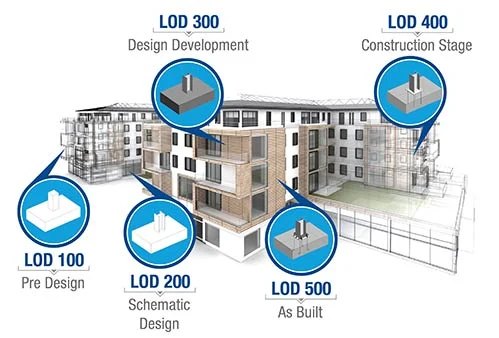
Adoption of BIM Levels of Development (LOD 100–500)
Professional BIM LOD services to ensure BIM model consistency and reliability throughout the design, construction, and operation phases of a building.
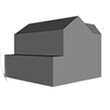
LOD 100: Conceptual Design
At LOD 100 level, we define a conceptual model where parameters such as area, height, volume, location, and orientation are determined.
- Analysis and Site Monitoring
- Massing Studies
- Preliminary Creation of 3D Models
- Spatial Relationships and Zoning Compliance
- Conceptual Design Visualization
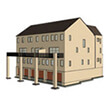
LOD 200: Schematic Design
At LOD 200 level, elements are modeled with approximate quantities, size, shape, location, and orientation. Non-geometric information can be embedded within model elements at LOD 200.
- 3D modeling – Form and Layout
- Conceptual Design Development
- Spatial Coordination and Clash Detection
- Initial Energy Analysis
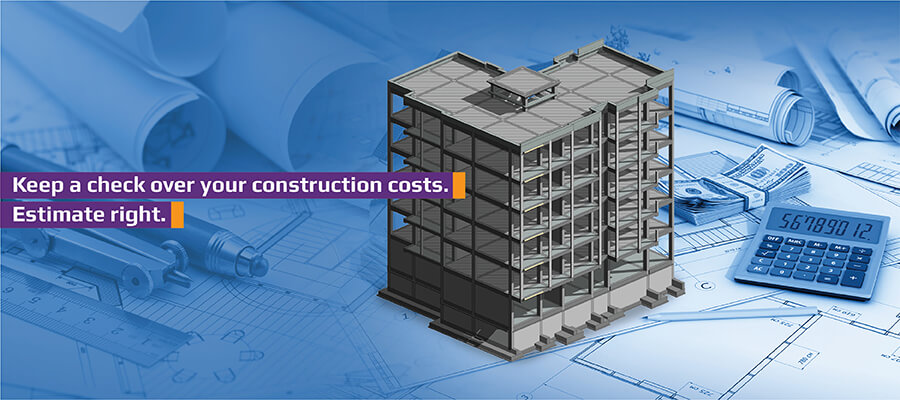
- Preliminary Cost Estimation
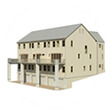
LOD 300: Design Development
This LOD 300 level involves accurate modeling and detailed shop drawings, where elements are defined with specific assemblies, precise quantity, size, shape, location, and orientation. Non-geometric information can also be embedded within model elements at LOD 300.
- Detailed 3D Modeling of Building Components
- Accurate Placement and Sizing of Components
- Coordination between Trades (Architecture, Structural, and MEP)
- BIM Coordination and Clash Detection
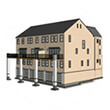
LOD 350: Construction Documentation
LOD 350 includes more detail and elements that represent how building elements interface with various building systems. It also provides clear graphics and written definitions.
- Detailed 3D models with specific materials and products
- Generate construction documents (specifications and drawings)
- Coordinate multiple disciplines
- Comprehensive cost estimation and quantity takeoff
- Complete construction sequencing and accurate scheduling
LOD 400: Fabrication and Assembly
At LOD 400 stage, model elements are represented as specific assemblies, complete with fabrication, assembly, and detailed information, in addition to precise quantity, size, shape, location, and orientation. Non-geometric information can be embedded within model elements at LOD 400.
- Build 3D models for offsite fabrication
- Create shop drawings and fabrication details
- Integrate manufacturing processes
- Develop component-level information to fabricate components
- Plan prefabrication and construction
LOD 500: As-Built
At LOD 500 elements are modeled as constructed assemblies for operations and maintenance. They are accurate in terms of size, shape, location, quantity, and orientation, and non-geometric information can be embedded within model elements at LOD 500.
- Build accurate As-Built models to reflect actual construction
- Generate detailed information about systems and components
- Integrate operations and maintenance data
- Perform lifecycle analysis and maintenance planning
- Accomplish building performance analysis and monitoring
BIM Model Capabilities across Different LOD Levels
| Model Content | LOD 100 | LOD 200 | LOD 300 | LOD 400 | LOD 500 |
|---|---|---|---|---|---|
| 3D Model-based Coordination | Site level coordination | Major large object coordination | General object-level coordination | Design certainty coordination | N/A |
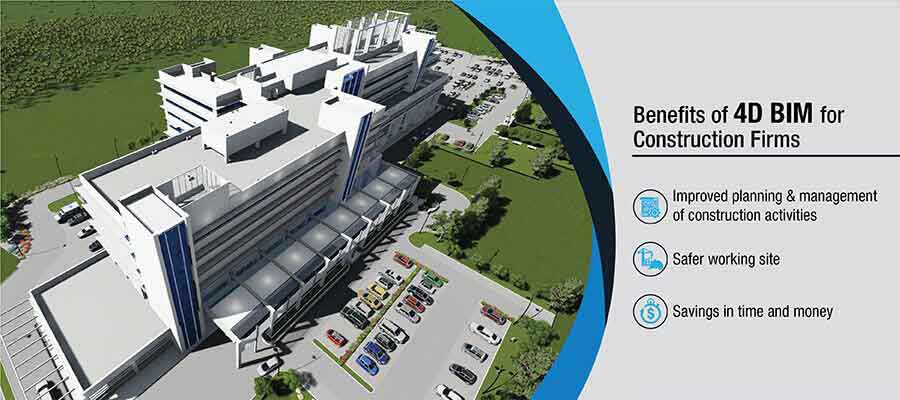
| 4D Scheduling | Total project construction duration. Phasing of major elements | Time-scaled, ordered appearance of major activities | Time-scaled, ordered appearance of detailed assemblies | Fabrication and assembly detail including construction means and methods (cranes, man-lifts, shoring, etc.) | N/A |
| Cost Estimation | Conceptual cost allowance Example $/sf of floor area, $/hospital bed, $/parking stall, etc. assumptions on future content | Estimated cost based on measurement of the generic element (i.e. generic interior wall) | Estimated cost based on measurement of specific assembly (i.e. specific wall type) | Committed purchase price of specific assembly at buyout | Record cost |
| Program Compliance | Gross departmental areas | Specific room requirements | FF&E, casework, utility connections | N/A | N/A |
| Sustainable Materials | LEED strategies | Approximate quantities of materials by LEED categories | Precise quantities of materials with percentages of recycled and/or locally purchased materials | Specific manufacturer selections | Purchase documentation |
| Analysis/Simulation | Strategy and performance criteria based on volumes and areas | Conceptual design based on geometry and assumed system types | Approximate simulation based on specific building assemblies and engineered systems | Precise simulation based on the specific manufacturer and detailed system components | Commissioning and recording of measured performance |
BIM LOD Solutions for Efficient, Sustainable Projects
Our BIM team understands that modeling systems and components can cause expensive rework and delays. BIM LOD enables various project teams to achieve better cost analysis, resource planning and enhanced project control.
We make sure accurate and in-depth data is integrated into the 3D BIM model for higher sustainability and long-term asset management. The adoption of BIM LOD leads to enhanced building sustainability and better energy efficiency.
Our LOD modeling services also include using Revit to create coordinated and clash-free models across LOD 100 to 500. These 3D Revit models help architects, contractors and engineers develop a transparent framework to monitor model geometry and evolution for various lifecycles. We have delivered 1,000+ successful projects with specialization in LOD 100 to 500 to meet exact client needs and operational goals.
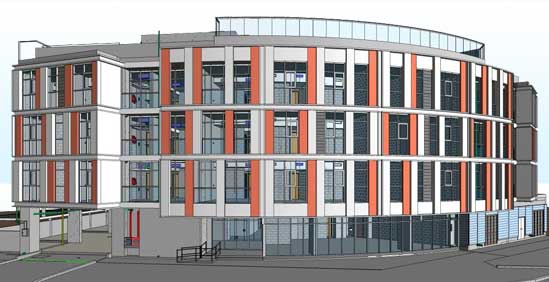
Coordinated Architectural Model at LOD 300 for a Residential Project
TrueCADD successfully converted AutoCAD drawings, PDF files, and sketches into an accurate LOD 300 architectural model for a residential project in the UAE. The 3D model along with required drawings was coordinated and clash-free and enabled the architectural and engineering consultant to make smarter and informed decisions leading to savings of project time and costs.
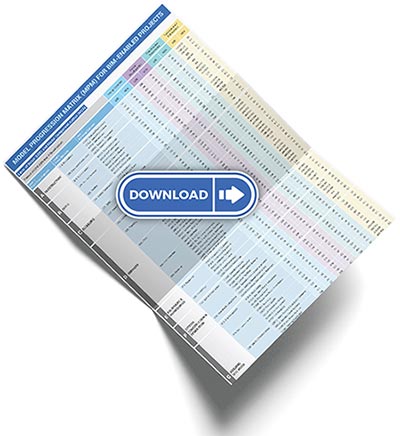
Model Progression Matrix (MPM) for LOD BIM
The Model Progression Matrix (MPM) is prepared to ensure project roles and responsibilities of various teams on BIM projects. A custom MPM is defined based on project size and scope.
Why adopt LOD for BIM Model?
Our Revit BIM modeling experts create 3D BIM models which follow industry LOD standards from LOD 100 to LOD 500 to provide clear models with detailed design information. This enables you to:
- Review building designs quickly
- Calculate accurate quantities for cost savings
- Create better project handovers and establish effective communication with subcontractors, fabricators, etc.
- Integrate quantity takeoff with other applications like cost estimation, scheduling for higher efficiency
- Enhance collaboration between various teams and disciplines for a standardized framework
- Improve decision-making at various project stages from concept to facilities management
- Mitigate risks by addressing design issues early in the project lifecycle
- Ensure sustainability through energy analysis, simulations, and environmental friendly building design
- Fuel efficient construction based on detailed information for prefabricated and modular systems
- Achieve high Quality Assurance (QA) based on LOD levels through real-world representation of buildings
Benefits of Outsourcing LOD BIM Services at TrueCADD
TrueCADD provides outsourcing BIM LOD services that helps organizations decrease expenses while accelerating their projects and achieving accurate outcomes. Ensure a competitive edge through reliable and high-impact BIM level of development solutions tailored to your needs.
- Define model utility and reliability with ease
- Mitigate 2D workflows for cost savings
- Use accurate LOD for high-quality models
- Make informed decisions based on accurate quantities
- Help design managers identify design intricacies
- Set model usability & limitations received by stakeholders
- Set inclusion aspects in BIM deliverables with LOD documents
- Gain accurate models with quick turnaround time
Software to support LOD



Frequently asked questions on LOD
BIM Level of Development (LOD) is defined as a standard that shows content, maturity, and reliability of model elements at multiple stages.
LOD is important in BIM projects as they clear expectations for data precision, error reduction and ensure every stakeholder gets the right information set at the right time.
LOD provides a singular language that reduces communication gaps by defining the required level of dependability for every model component, improving BIM accuracy and collaboration between teams.
LOD 400 delivers fabrication level shop drawings and assembly data which is needed to build and install components without flaws.
BIM LOD services minimize costly rework and design conflicts by ensuring aligned workflows with predictable information outcomes at every project stage.
Yes, our team of experts can tailor your requirements to meet project goals within the BIM Execution Plan (BEP) with LOD.
Related Blog Insights

Need help on an ongoing basis?
We establish long term business relationships with clients and are committed to total customer satisfaction.
Home |
Sitemap |
Privacy Policy |
Data Security & Confidentiality |
Contact us
|