Smart automation cuts down the time it takes for creating millwork shop drawings by eliminating redundant drafting steps. It enables rapid revisions synchronizing CNC data, and builds manufacturing-ready documentation to minimize fabrication errors and rework.

Leading CAD Outsourcing Company offers solutions of Engineering CAD Services, Design Drafting & 3D Modeling
Email us:
info@truecadd.com
info@truecadd.com
Leading CAD Outsourcing Company offers solutions of Engineering CAD Services, Design Drafting & 3D Modeling
How Smart Automation in Millwork Shop Drawings Can Cut Production Time by 30%
Updated on September 30th, 2026
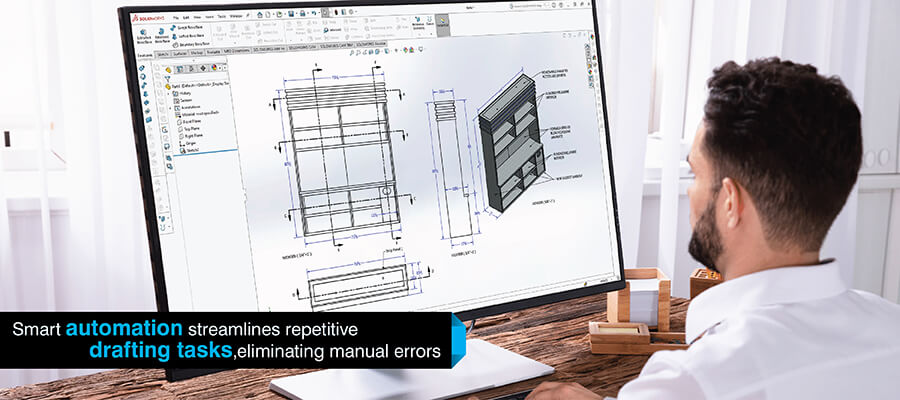
Table of Contents
- Production delays caused by manual millwork shop drawings
- Understanding millwork shop drawings automation
- Millwork shop drawing workflow automation that cuts drafting time
- CNC-ready millwork drawings and production speed
- Automated nesting and material optimization in millwork
- How using millwork software enable faster design to production
- How automation in millwork drawings can cut 30% production time in practice
- Conclusion
Millwork shop fabricators often struggle to meet production timelines due to the bottleneck caused by manual millwork shop drawings that slow down the downstream process. The drafter spends days detailing identical cabinet components, while CNC machines await the approval of a completed documentation package.
Automation in millwork shop drawings produces ready-to-produce drawing packages directly from parametric designs that synchronize revisions instantly to all documentation. They generate CNC-ready millwork drawings eliminating manual translation error and reducing the time required to complete fabrication handoffs.
Millwork shops utilizing smart automation realize significant production time savings through reduction of drafting cycle times, faster revision turnaround and synchronization of drawing data with CNC machine processes.
Production delays caused by manual millwork shop drawings
Manual cabinet and casework shop drawings are still the primary bottleneck to production with the resulting delays flowing through to fabrication schedules.
Following are some of these problems:
- Manual drafting of each elevation, section, detail, and cabinet component is time-consuming.
- Lack of a system to allow for repetitive detailing across multiple identical millwork items limits the ability to systematically utilize prior detailed components.
- Failures in coordinating revisions among drawings, Bills of Material (BOMs) and CNC files cause unnecessary rework.
- The fabricating shop’s capacity remains limited by the number of skilled drafters it has even when there is sufficient machining capability available.
- Delays in completing millwork drawings manually slow down the fabrication process.
Understanding millwork shop drawings automation
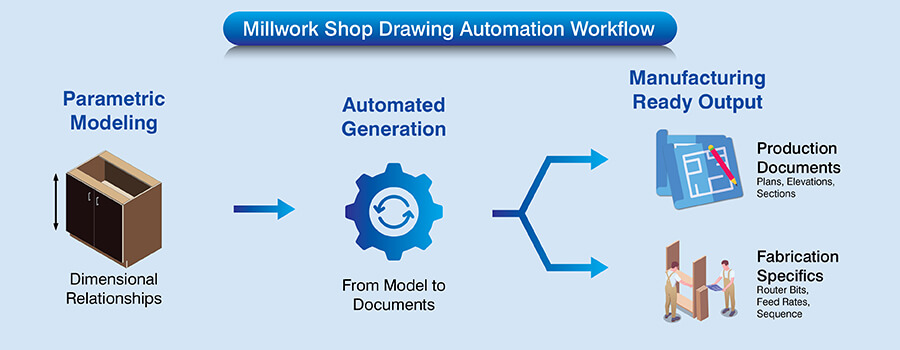
Millwork shop drawing automation creates production documents directly from parametric models as opposed to manual drafting. At the time of completion for a cabinet model, the system will generate plans, elevations, sections and detail drawings automatically.
Parametric millwork design is based on dimensional relationships in models. For example if you are changing the height of a cabinet from standard to ADA compliant specifications, the rail heights, shelf locations, and drawer dimensions will be updated automatically on all relevant drawings.
Manufacturing-ready shop drawings include fabrication specifics such as router bit specifications, feed rates and machining sequence. These are included directly into the drawings created by the automated process. Therefore, these drawings can be used as an actionable instruction guide for both coordinating human resources and executing machinery.
Millwork and casework need different automation rules.
Read Millwork vs Casework Comparison »Millwork shop drawing workflow automation that cuts drafting time
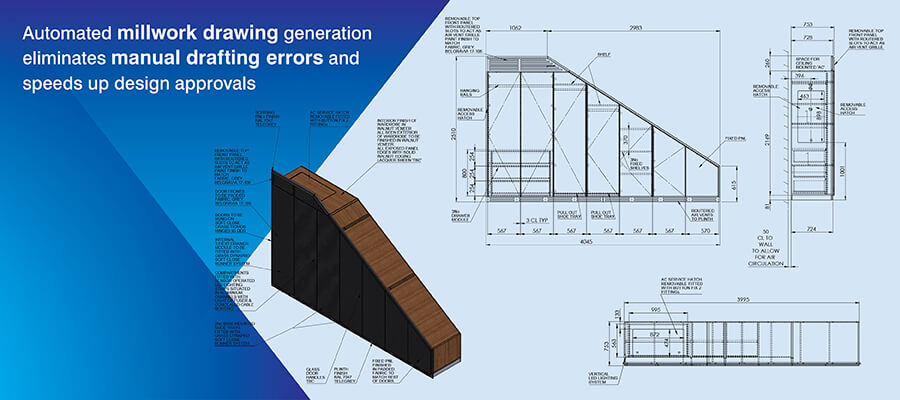
Millwork shop drawing workflow automation performs an hour or two of laborious manual work within mere seconds and thus reduces the time gap between designing and production.
Automated generation of millwork shop drawings
Millwork designers are able to create an entire set of drawings from 3D millwork modeling quickly and automatically without having to manually create each view.
For example, a kitchen project that includes 30 cabinets will produce all the necessary documentation within minutes rather than taking several days for manual drafting.
Standardized detail logic applied by rule-based systems for architectural millwork detailing provides consistency in edge band callouts, grain direction arrows, hardware symbols and dimension formatting among different team members creating models.
Automation produces production-ready drawing sets with minimum manual input. The amount of documentation produced by one modeler in one day is equivalent to the volume of documentation produced by three drafters working for a week. Thus, this frees up the ability to take on higher volumes of projects.
Parametric millwork design for faster revisions
Dimension-driven updates automatically apply client-requested height changes to all selected components and update their respective dimensions proportionately to maintain consistency across the entire design.
Parametric millwork design eliminates errors due to manual redline and coordination efforts with:
- Automatic generation of coordinated model updates in all documentation when dimensions change within the parametric model.
- Automatic verification that plan views match elevations and sections without need for cross-checking.
- Elimination of interpretation-based transcription of markups made on drawings into CAD files.
- Synchronization of revisions between related drawing views simultaneously.
Revision turnaround time gets compressed from two-to-three days to same-day completion. This also allows shops to accommodate client requests to make design changes later in project timelines without jeopardizing delivery dates.
Standardization through millwork drafting automation
Automating millwork drafting includes embedding specific methods of constructing, materials and hardware selections into a set of defaults. The automated process will apply the appropriate edge banding, hinge boring pattern and drawer slide clearance as required by each project.
The uniformity of detail produced by this method allows a junior drafter to create a high quality product. This eliminates scalability issues with the number of people on the drafting team.
The automated systems also reduce the QA cycle and result in immediate time savings. Since the systems are able to consistently document each project, there will be less need for reviews of the documentation. This shifts the purpose of the QA cycle from reviewing dimensional coordination to reviewing the intent of the design.
Reduce drafting time using automated millwork shop drawings.
Contact Our Millwork Team »CNC-ready millwork drawings and production speed
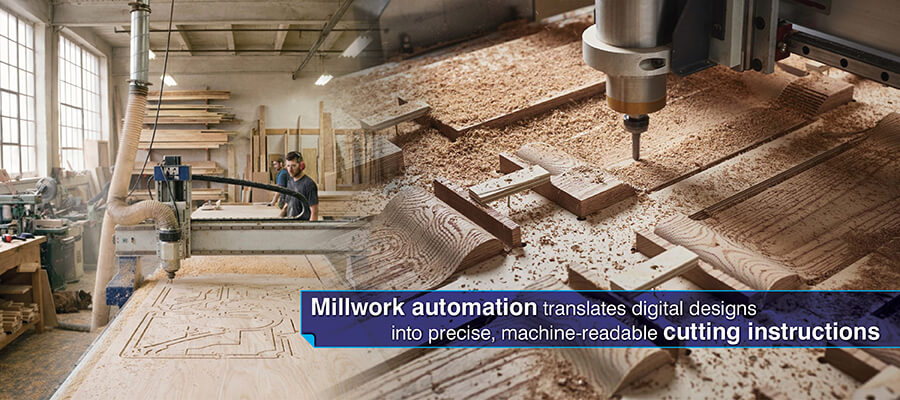
CNC shop drawing automation removes the need to manually translate documentation into machine files and the associated delays and errors requiring costly rework.
CNC shop drawing automation and data consistency
A single source system generates human readable drawings and machine executable data from the same parametric models. This guarantees perfect correlation between documentation and machined output as there is no transcription process required.
CNC integration with shop drawings removes the interpretation based programming. Dimensional parameters defining cabinet models are populated in tool path files exactly as they were defined in the design model. Boring patterns shown on the drawings are executed by the CNC drill based upon identical source data.
Revision safe synchronization ensures that any design changes are propagated through production chains automatically. Any changes made to the parametric model will update both the drawing and CNC files simultaneously thereby eliminating version control failures.
CNC integration with shop drawings
Directly sending your designs to CNC routers, panel saws, and drilling machines, eliminates the need to transfer information from documents to a technician or engineer who then has to program the equipment.
This automatically sends the proper router tool paths, the optimal panel saw cuts list and the proper drill files formatted to the particular controller of each piece of equipment.
The moment you approve the design, CNC machining for millwork can begin because you now have instant access to machine-ready files. The CNC operator can now focus on operating the equipment as opposed to waiting for the programming resources.
By applying consistent machining parameters through automated systems also eliminates trial-and-error for the correct machining process. Parts made correctly the first time allows for continued assembly with no interruptions and maintains the project schedule.
Manufacturing-ready shop drawings for faster handoffs
Woodwork fabrication planning takes into account real manufacturing limitations such as specifications on the edgebander used in production, dimensions of the router bits to be employed, processing limits and integrates these into the documentation from the beginning.
There are specific edge banding application sequences in the documentation and accurate dimensions for all components accounting for the exact thickness of materials being utilized. Grain direction indicators illustrating the optimal nesting patterns also help avoid interruptions.
Coordinated shop drawings, CNC files, cut lists and hardware specifications are released at the same time approved designs are received by the shop teams. Production can begin immediately upon receipt of approval versus waiting days for sequential preparation work to occur.
Automated nesting and material optimization in millwork
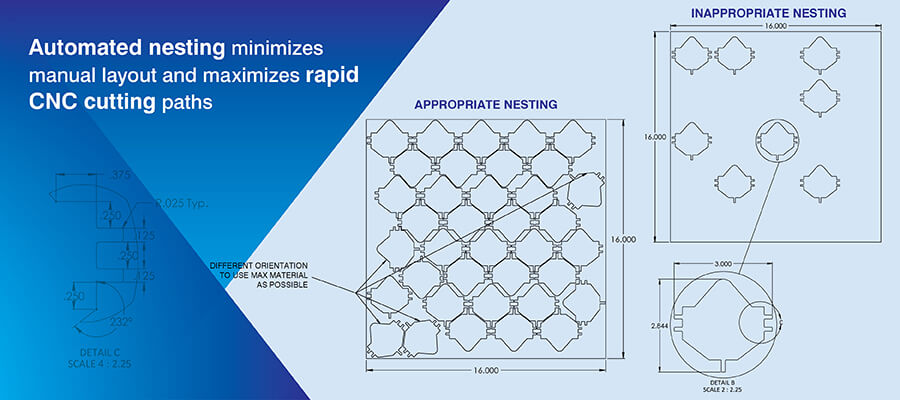
Automated nesting for millwork increases material preparation speed by instantly creating the most efficient sheet layouts that would take an hour for a seasoned millworker to plan manually. Automated systems evaluate thousands of possible configurations in seconds and can often produce better yield than manual arrangements.
Consider a cabinet project that requires 80 plywood panels of various dimensions. In the case of manual layout, there is typically sketched-out layout, grain directions are checked and utilization recalculated. All steps that must be done before cutting begins.
In contrast, automated nesting looks at the part’s dimensions, considers grain orientation, evaluates minimum edge distance and creates a layout ready for cutting as soon as it is created.
| Nesting approach | Layout planning time | Material yield | Common issues |
|---|---|---|---|
| Manual layout | 45–60 minutes per sheet | 75–80% utilization | Grain direction errors, edge distance violations, suboptimal arrangements |
| Automated nesting for millwork | 30–45 seconds per sheet | 82–88% utilization | Minimal when constraints properly configured |
Better yield per sheet and reduced potential for material shortages improve throughput and reduce downtime resulting from lack of materials.
How using millwork software enable faster design to production
Different platforms are designed to optimize different aspects of the millwork production process. Each platform delivers a different level of time-saving based on specific fabrication workflows.
- Cabinet Vision: Cabinet Vision allows users to utilize embedded cabinet-making intelligence to construct frameless/face-frame cabinets as well as European and traditional hinge systems.
- Microvellum millwork design: Microvellum allow you to deal with complex architectural millwork detailing and parametric capabilities to manage large-scale commercial casework projects.
- SolidWorks SWOOD for cabinetry: SWOOD is an industrial-grade parametric modeling program used to generate furniture shop drawings. The program provides the capability to handle both curved casework and complex joinery utilizing advanced geometric manipulation techniques.
- Inventor for custom woodwork: Users of Inventor can generate engineering-level documentation for custom cabinetry detailing which involves metal components, mechanical hardware or precision assemblies.
- AutoCAD millwork shop drawings enhanced through using layers: This provides a user-friendly access point to the CAD infrastructure currently being used by your company. The program utilizes dynamic blocks and custom LISP routines to enhance the efficiency of your drawing processes.
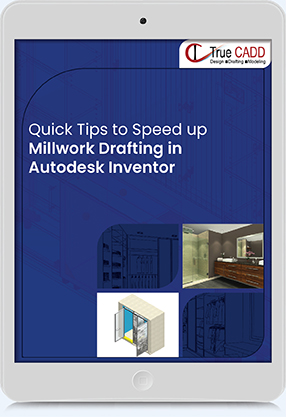
Faster Millwork Shop Drawings with Autodesk Inventor
Facing delays due to slow millwork shop drawings and repeated revisions? This resource shows how Autodesk Inventor enables users to automate their drafting operations and speed up fabrication.
Why Download?
- Less Manual Drafting: Generate drawings directly from 3D models.
- Quicker Revisions: Make changes once across all drawings.
- CNC-Ready Files: Send accurate data straight to machines.
- Fewer Errors: Minimize rework caused by mismatches.
- Faster Turnaround: Cut drafting and production time by up to 30%.
Discover how to optimize your millwork workflow.
Download Your Copy Today!How automation in millwork drawings can cut 30% production time in practice
The 30% production time reduction is based on compounding of time savings across many different workflow steps. A common example would be a commercial casework project that normally takes six weeks.
- Drafting compression saves one week: The ability for automated millwork shop drawing services to produce documentation in two days in order to eliminate repetitive detailing work across similar components.
- Revision acceleration saves another 3-4 days: Same day turnaround for parametric millwork design (versus three day cycles over five typical revisions), with dimensional changes being propagated automatically throughout all documentation.
- CNC programming elimination saves three days: CNC shop drawing automation produces machine files at the same time as producing drawings, effectively eliminating the CNC programming step of the timeline process.
- Fabrication improvements save half a week: With manufacturing-ready shop drawings having synchronized CNC data and with reduced error-related re-machining from eight percent of components to less than two percent, improved first pass accuracy is achieved.
When combined, these reductions result in a total compression of the timeline from six weeks to four weeks, a 30% reduction in the length of the production cycle. Millwork CAD drafting services allow for this compression by transforming sequential manual handoffs into parallel automated processes.
Cut project turnaround using millwork shop drawing automation.
Contact Us »Millwork Design Automation for 3D Furniture Modeling
In Europe, a retailer of fixtures used to create their furniture with legacy 2D drawings. This was creating excessive waste of materials, errors in design and lengthy lead times for production. The customer required a means to quickly create 3D furniture models and millwork shop drawings from conceptual inputs.
TrueCADD designed and delivered an automated CAD configurator utilizing DriveWorks integrated with SolidWorks to automatically create 3D furniture models, millwork shop drawings, manufacturing drawings and documentation. TrueCADD created a scalable solution that would enable the fast conversion of conceptual sketches to production ready designs.
The end results were:
- Production time decreased by 30%
- Less material waste and increased design accuracy
- Ability to respond to custom furniture design requests quicker
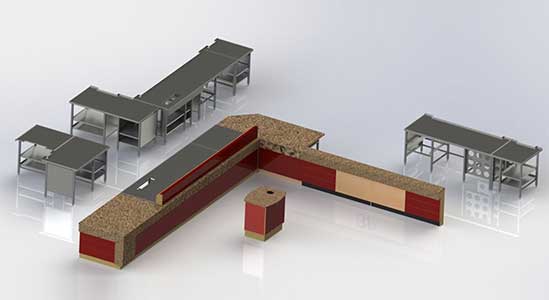 Automated CAD Design for Retail Furniture
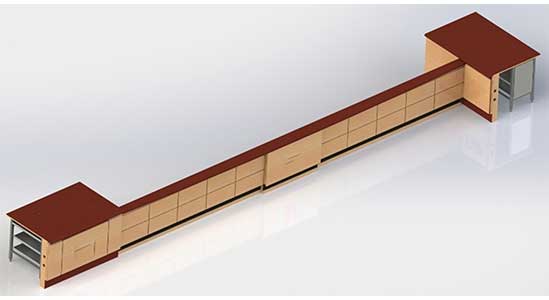 3D Modeling for Retail Store Furniture
Conclusion
Smart automation in millwork shop drawings provides a tangible reduction in production time through eliminating manual drafting redundancy. This accelerates revision cycles and aligns documentation with CNC machining for millwork processes.
Thus sequential bottlenecks are turned into parallel workflow capabilities that produce production ready documentation at the same time as design completion.
Benefits include increased precision, scalability and CNC machine alignment which all provide a reduction in first pass error rates. The millwork automation software allows for greater volume of production to be achieved without the need for corresponding increase in personnel.
This results in faster delivery times and better production efficiency in millwork operations.
Improve consistency in millwork shop drawings with automation.
Get Started Today »









Harika Singh
Harika Singh is a published author with over 20 years of experience working with leading organizations in India and the United States. She develops authoritative content on BIM, CAD, VDC, digital engineering, and construction technology. Her expertise lies in translating complex technical concepts into actionable insights that help AEC professionals improve collaboration, efficiency, and project outcomes.
Related Posts

Need help on an ongoing basis?
We establish long term business relationships with clients and are committed to total customer satisfaction.
Home |
Sitemap |
Privacy Policy | Data Security & Confidentiality |
Contact us |