Microvellum shop drawings shop drawings help in custom millwork by providing parametric models, 3D visualizations and automation. They streamline design to fabrication workflow, enable precision in custom work, enhance quality control and link your workflow to other applications. They help you reduce materials waste and simplify the installation of custom millwork products.

Leading CAD Outsourcing Company offers solutions of Engineering CAD Services, Design Drafting & 3D Modeling
Email us:
info@truecadd.com
info@truecadd.com
Leading CAD Outsourcing Company offers solutions of Engineering CAD Services, Design Drafting & 3D Modeling
How Microvellum Shop Drawings Improve Custom Millwork Projects
Updated on June 2nd, 2026
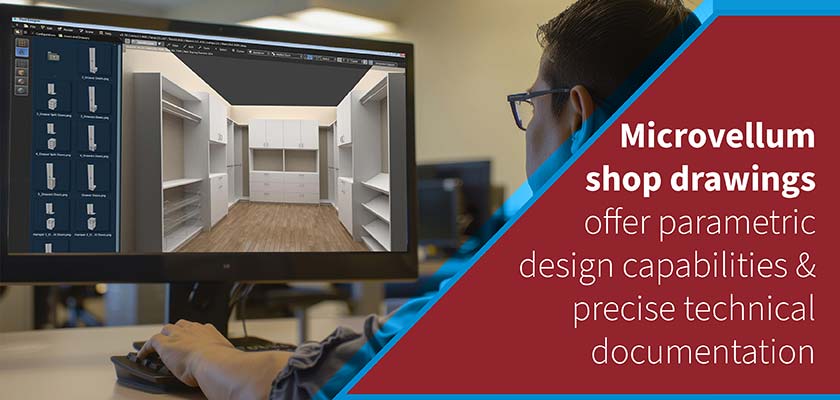
Table of Contents
- Enhancing custom millwork shop drawings with Microvellum
- Using Microvellum features to optimize millwork drawings for efficiency
- Overcoming custom millwork detailing challenges with Microvellum
- Microvellum integration for custom millwork project management
- Improving installation and quality control in millwork projects
- Conclusion
Interpreting and working with custom millwork is made easier and much simpler through parametric designs and technical documentation created using Microvellum shop drawings. This happens because Microvellum has an integrated approach that combines accurate measurement, 3D visualization and automated cut lists in a single unit to support the design-to-fabrication workflow.
The software excels at 3D woodworking modeling with accurate detailing that improves visualization. It also creates a common database to enable real-time communication among project participants and thus reduces time spent on designing.
Microvellum’s furniture design automation capabilities streamline the entire production process while maintaining quality. Also, Microvellum has a large library of pre-defined components and customization options to allow users to create a variety of details for their custom millwork shop drawings to meet specific client requirements.
Microvellum’s furniture design automation capabilities streamline the entire production process while maintaining quality. Also, Microvellum has a large library of pre-defined components and customization options to allow users to create a variety of details for their custom millwork shop drawings to meet specific client requirements.
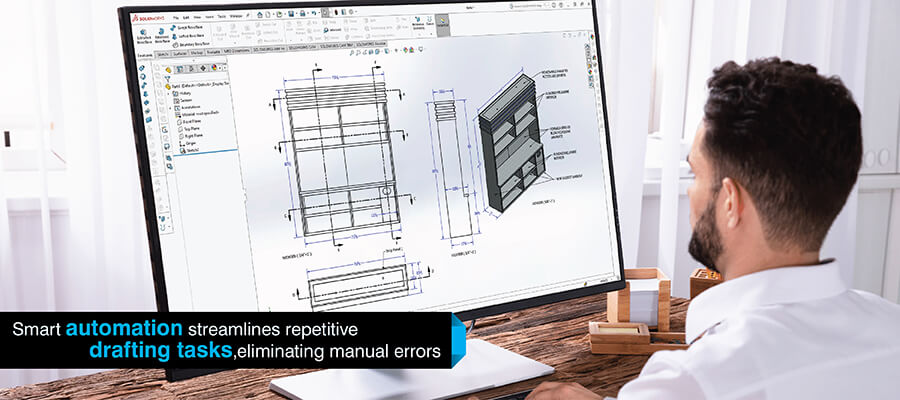
These shop drawing automation features eliminate repetitive tasks and ensure consistency across all project documentation.
Enhancing custom millwork shop drawings with Microvellum
The use of Microvellum shop drawings offers you the resources and information you need to improve your custom millwork projects in the following ways:
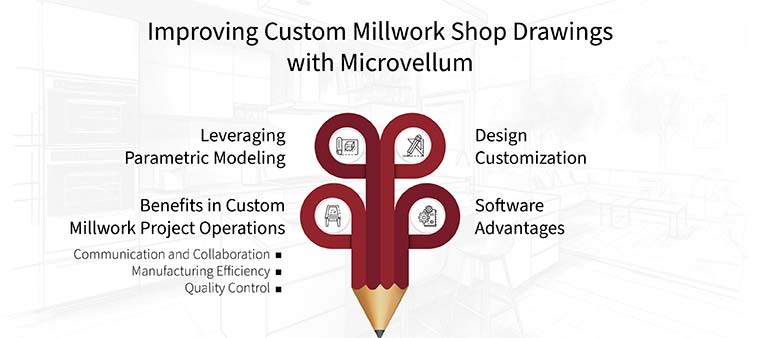
A. Benefits in custom millwork project operations
Shop drawings generated by Microvellum provide a basis for analyzing custom millwork projects. They provide the technical base for a custom millwork project, and a means of communication between members of the design/build team. They can also be used for systematically ensuring quality control for the custom millwork project.
Communication and collaboration
- Provide clarity: Drawings created by Microvellum provide complete visual documentation with accurate measurements and 3D renderings of the project which allows designers, contractors, engineers, to fully visualize and communicate the details of the project.
- Allow remote collaboration: Stakeholders can review and approve designs remotely using Microvellum. This allows everyone to stay involved and provide timely feedback to the team.
Manufacturing efficiency
- Avoid precision errors: The direct link to CNC machinery eliminates human error and provides designers with an efficient way to create accurate drawings for manufacturing.
- Reduce environmental impact: Using Microvellum helps to optimize the amount of materials required and minimizes the waste created during the manufacturing process. This results in a more environmentally friendly project.
Quality control
- Minimize errors: Accurate drawings produced through Microvellum result in fewer errors and ensure that designers have provided the contractor with drawings that meet their specifications.
- Faster prefabrication for millwork: Microvellum creates detailed drawings of the custom millwork components that allow designers to produce the components more efficiently and assemble the components on site more quickly and accurately.
B. Leveraging parametric modeling
Parametric modeling is used within Microvellum which means that all elements within the program are linked together. As a designer makes changes to one element in the design, all other elements that are associated with it will automatically be updated.
For example, if a designer is creating a cabinet design with multiple drawers and they make a change to the height of the drawer, all of the other elements (i.e., drawer slides, etc.) that are associated with the drawer will be automatically updated.
As a result, designers can create drawings faster without having to manually adjust each component when working with Microvellum fabrication drawings for cabinets and other millwork. At the same time, Microvellum millwork drafting accuracy ensures that every dimension and specification is precise across design iterations.
C. Customization options
The amount of customization available in Microvellum is far superior to other custom furniture millwork software. In this custom furniture design software, you will have access to an enormous library of pre-assembled components that will allow you to quickly build common elements. In addition, you will be able to create your own custom components and save them for future use.
However, it is the ability to create custom profiles and controlling the type of joinery used, that gives you true customization. With Microvellum, you are allowed to create your own design rules and perform calculations that will enable you to automate complex processes and verify that your custom designs meet specific requirements required by your particular industry.
D. Software advantages
Microvellum is considered among the best drafting tools for millwork by industry professionals, and using its advanced features allow more accurate millwork CAD drafting. The dynamic 3D modeling capabilities of this software allow you to see your designs and immediately identify errors. Automated millwork production eliminates the errors of manual drafting.
Integrated reporting tools provide accurate material data, and CNC machine integration streamlines production with precise machine code generated directly from the design. These software advantages combine to increase accuracy, minimize errors and boost millwork production efficiency.
Elevate your designs with high-quality Microvellum shop drawings.
Get started today →Cabinet drafting solutions for custom residential furniture, USA
A US-based residential furniture maker required a fast turnaround on cabinet CAD drafting. Therefore they wanted to outsource this to achieve faster production at higher quality than they could not achieve internally.
TrueCADD took the architect’s PDF’s & marked up drawings & created CAD models and drawings. This project included designing library units as well as other pieces of custom furniture. Our team made sure to be accurate and follow the client’s specifications of the designs.
The results were:
- 50% less time required in cabinet design
- More efficient production with precise CAD drawings
- Ability to produce high quality, custom furniture designs
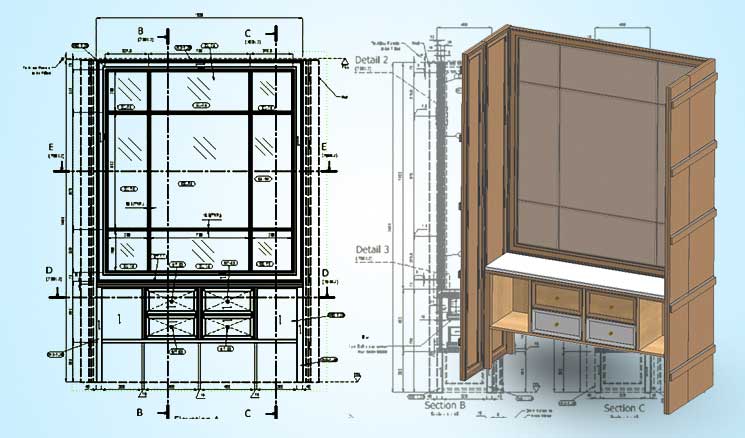 Cabinet CAD Drafting for Residential Furniture
Using Microvellum features to optimize millwork drawings for efficiency
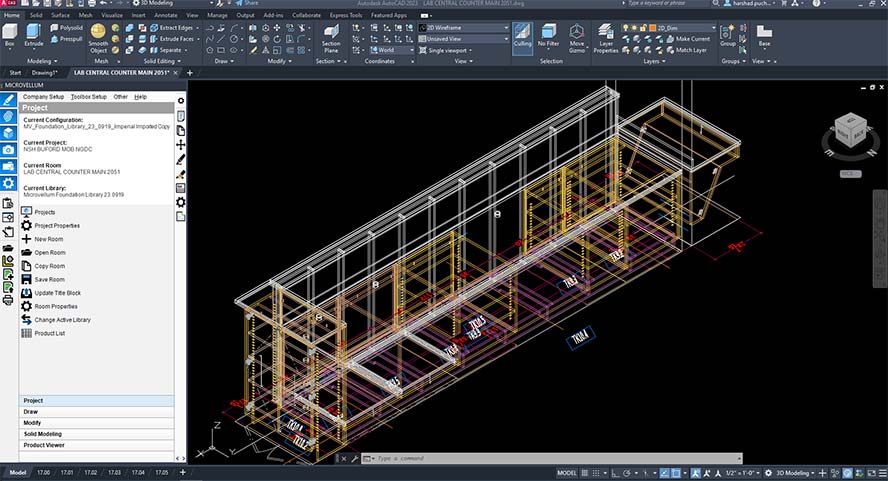 Microvellum for Woodwork Design Drafting
A number of features in Microvellum help to make creating shop drawings as well as production processes faster and higher quality than traditional methods. The ways in which Microvellum achieves this are:
-
Parametric arrays and dynamic components:
If you were making a wall with identical panels, instead of having to create each panel individually, you can utilize parametric components in furniture design using Microvellum to create just one panel and then replicate it at a predetermined spacing and quantity.
This woodworking design automation eliminates repetitive tasks and frees up designers to focus on creative aspects. Components update dynamically. For example, a drawer component will automatically resize when the cabinet is resized. This saves time during design and provides consistency in your designs.
-
Organized drawings:
Besides providing organized layers; Microvellum utilizes a standard naming convention and embeds metadata into the drawings. Fabricators are able to determine the designer’s intent by accessing these drawing data, by find the specific parts and what their properties are without relying on guesswork.
This structured approach also contributes to the overall millwork drafting efficiency by reducing revision cycles and clarification requests.
-
Nesting and toolpath optimization:
Microvellum offers nesting capabilities to help minimize waste of material by determining the best placement of parts to fit onto the sheet materials and also optimizing the machine tool paths for CNC equipment.
The software’s material layout optimization features helps you to reduce waste thus maximizing yield from raw materials. This minimizes the amount of time needed to cut and subsequently produce the final product. Integrating both design and manufacturing processes increases the efficiency of the workflow and reduces the cost of production.
Save time by standardizing parts with Microvellum’s parametric libraries.
Talk to our experts →Overcoming custom millwork detailing challenges with Microvellum
The ability to handle the challenges in custom millwork is a part of the advantages Microvellum provides to designers.
Handling Unusual Angles and Curves
Non-standard angles and curved lines are one area where Microvellum really shines. It offers spline drawing capabilities which enable very smooth curved lines and the capability to draw very complex shapes using sketching tools in 3D.
Additionally, the ability to export and/or import files from other design programs (including 2D and 3D) means that even very complex designs can be easily converted into shop drawings.
This compatibility is among the key benefits of outsourcing millwork shop drawings to experts for complex projects.
Avoiding non-standard materials
In addition to wood, modern millwork utilizes many different types of materials including acrylics, metals and composites. The material library within Microvellum is quite large and provides designers with many options as well as the ability to add new materials they may want to use on a project.
Microvellum users can also create their own custom materials with unique characteristics (grain patterns, etc.) which enable the user to accurately represent how the finished piece will look when it is fabricated.
Visualizing complex joinery
In order to fabricate complicated joints like hidden mitered corners and intricate dovetail work, you need to have an extremely high level of accuracy in communicating these details to the people who will actually do the work.
Microvellum 3D shop drawings for furniture enable designers to produce detailed shop drawings of a project with section views, 3D images, and notes. All of the above mentioned elements provide the designer with a way to clearly communicate the complexity of the joint to the fabricators and other members of the team.
Precision millwork shop drawings for institutional furniture, USA
A US-based designer/manufacturer of institutional furniture needed detailed CAD drawings with assembly/installation documentation to help improve efficiency of the production process.
TrueCADD created precise millwork and casework shop drawings from the provided architectural plans/hand-drawn sketches by the client. The drawings facilitated open communication between architects, furniture designers, contractors and manufacturers for a streamlined production process.
The end results were:
- Zero rework, increased productivity
- Accurate material takeoff and cost savings
- Better collaboration among parties for timely project completion
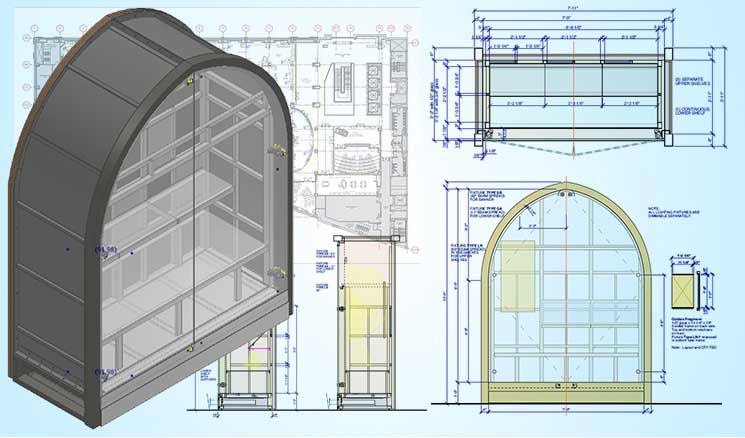 Millwork casework shop drawings for furniture manufacturers
Microvellum integration for custom millwork project management
Microvellum integrates easily into your current systems. ERP integration for millwork is also provided by Microvellum as well as inventory management tools. Integration of the systems occurs through API connections, export/import functions and data connectors. When connecting the systems, all departments’ data flow seamlessly without data silos and requiring any manual entry.
For example, if there is a change order for a design change then this automatically updates the customer’s inventory orders, production schedules, and even their cost estimate. All parties working on the project are kept up-to-date and in sync.
Microvellum provides a built-in report designer. Project managers can use this to create cut lists, material orders, and production schedules using real-time information derived from the design data. This allows for improved resource allocation, optimized materials and better production planning.
Microvellum also allows users to monitor the status of projects, revisions and maintain an audit trail of all changes made during the course of the project to ensure transparency and accountability at every stage of the project lifecycle.
Improving installation and quality control in millwork projects
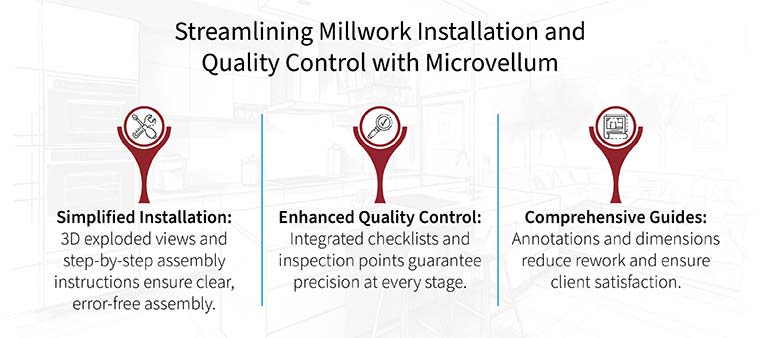
Beyond the workshop, Microvellum enables a substantial increase in the efficiency of millwork projects through both improved installation and quality control processes.
Improved installation process: Microvellum will generate exploded views as well as step-by-step millwork installation guides. The installation-ready shop drawings provide an easier method for installing millwork and decreases confusion for installers. Overall, this results in faster and more accurate installation, particularly with respect to complex units which have multiple components.
Enhanced millwork quality control: Through integration of quality control checklists and inspection points within shop drawings, Microvellum enhances the process of quality control of millwork projects. At each stage of production and installation, the quality control checklist reminds fabricators and installers to inspect critical dimensions, the quality of the joinery, and the finish of materials.
The annotation and dimensioning tools provided by Microvellum allow users to create reference manuals for manufacturers. These reference manuals provide detailed information about critical measurements, clearance requirements and installation procedures.
Conclusion
Microvellum shop drawings have changed how we create custom millwork. With it, we now have a consistent, comprehensive toolset which improves accuracy, enhances workflow, and provides for an overall smooth flow from beginning to end.
The detail design elements within each drawing allow for a great deal of customization with almost anything. Also, the ease at which these designs are created in the software makes fabrication and project management both easier and faster.
By utilizing the software to its fullest potential, we are able to extract more from our materials, make fewer mistakes and deliver a superior quality of custom millwork consistently.
FAQs
-
Microvellum offers parametric modeling, automated updates, CNC integration and material optimization. This means fewer errors, faster production cycles and big material savings.
-
Using Microvellum you gain access to component libraries, custom material creation, parametric design and precise joinery detailing. This lets you accurately represent complex specs and dimensional accuracy throughout the project.
-
Basic CAD knowledge is helpful but Microvellum expertise is required for advanced features. Professional drafting services with Microvellum experience can help get the most out of the software without in-house specialization.
-
You get accurate 3D visualizations, detailed section views and accurate dimensioning. Also Metadata in the drawings gives fabricators precise information about materials, hardware and assembly requirements.
-
You get reduction in design time, big material savings through optimization, less rework due to higher accuracy and faster installation cycles. Most businesses get full ROI in 6-12 months on medium to large projects.
Create tailored cabinets with expert Microvellum shop drawing services.
Contact us →









Harika Singh
Harika Singh is a published author with over 20 years of experience working with leading organizations in India and the United States. She develops authoritative content on BIM, CAD, VDC, digital engineering, and construction technology. Her expertise lies in translating complex technical concepts into actionable insights that help AEC professionals improve collaboration, efficiency, and project outcomes.
Related Posts

Need help on an ongoing basis?
We establish long term business relationships with clients and are committed to total customer satisfaction.
Home |
Sitemap |
Privacy Policy | Data Security & Confidentiality |
Contact us |